Drive Thru Empire Troubleshooting
Practical fixes for No-Ads restores, offline cash, stuck popups, and progress walls—without fake codes.
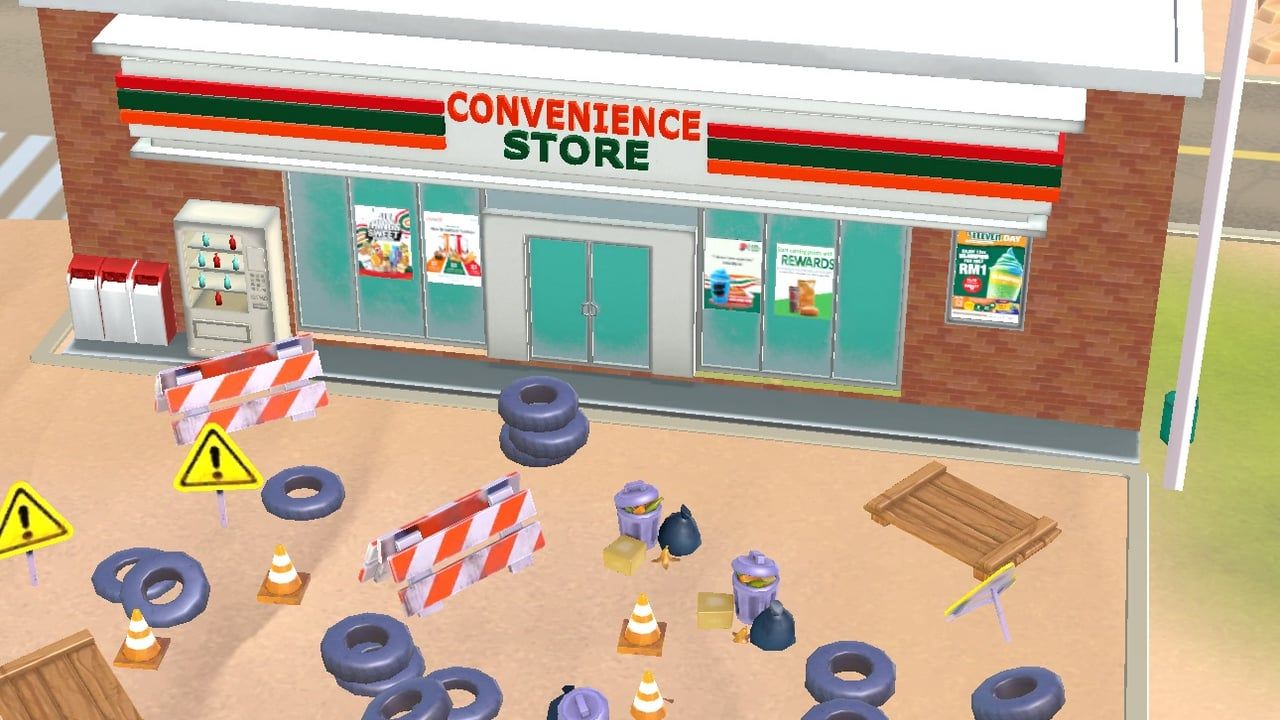
When Drive Thru Empire misbehaves, most players hit the same cluster of pains: ads that return after a No-Ads purchase, offline piles that look empty, offer popups that refuse to close, gem sinks that feel useless, or a map that will not leave Arizona for Texas. This troubleshooting page turns those App Store themes into ordered checks for MIGMIG’s Route 66 idle tycoon on iOS—not Roblox Driving Empire, not a Roblox drive-thru experience.
Use this page after you have the basics from Getting Started. For purchase decisions, open the IAP guide. For idle math and automation setup, use offline earnings. For which build you are on, check version history and the What’s New spotlight.
Before you blame the game
Run this five-minute baseline every time:
- Confirm the product: Drive Thru Empire by MIGMIG on the Apple App Store (id
6745221206). - Update to the latest listed build—trackers still point at the 1.33 late-2025 window as the newest public stamp in our Sep 2026 research pass (What’s New).
- Force-quit the app, toggle Airplane Mode off, and relaunch on Wi-Fi once so shop and entitlements can refresh.
- Note whether the issue started after Prestige, after a new business unlock, or after a purchase.
- Ignore “working codes” listicles—there are still no verified public gift codes on the Codes Hub.
If the baseline alone “fixes” the symptom, you were fighting a stale client or a hung session, not a permanent design wall.
No-Ads purchased but ads still appear
No-Ads is a comfort purchase, not a content unlock. When entitlement fails, players report interstitial or rewarded prompts returning, “ad unavailable” blockers, or unclear scope (which ad surfaces the pack was meant to remove). Work the restore path before you repurchase:
- Update past mid/late-2025 fix trains—popup and shop UX bugs were actively patched in the 1.26 / 1.27 window (version history).
- Open the in-game shop or settings and use Apple’s Restore Purchases flow if the button exists.
- Restart the device once; iOS StoreKit state occasionally sticks after an interrupted charge.
- Verify the charge in your Apple purchase history and keep the date/time.
- Contact App Store support for restore/refund help if the entitlement never applies.
- Contact MIGMIG through the App Store developer support path with device model, iOS version, app version, and purchase date—do not buy No-Ads a second time “to fix it.”
Full purchase framing lives in the IAP guide. Remember: No-Ads will not deepen endgame content, repair offline timers, or unlock Texas.
Offline cash not collecting
Marketing promises idle piles; reviews still mention empty returns. Separate setup mistakes from bugs:
Setup checks
- Is Safe-O-Matic actually unlocked and active on the businesses you run?
- Did you just Prestige into a manual early run with weak automation?
- Are Express Kitchen / Fast Check-In / Turbo Cleaning style speed nodes bought for unlocked lanes?
- Did you expand width (motel, restroom, EV, store) without automation coverage?
Bug-oriented checks
- Run a controlled 10–20 minute offline test after a clean collect, then compare to a similar online idle window.
- Relaunch on Wi-Fi; force-close once if the pile UI looks frozen.
- Open each business once to clear stuck states, then leave again for a short retest.
- Avoid low-power modes that aggressively suspend background apps during short tests.
- Update and retest before spending gems “to compensate.”
Deep playbook: offline earnings. Session habits: tips. Paying for 2X Income multiplies a healthy idle loop; it does not reliably repair a broken collection path.
Stuck popups and offer windows
Offer modals that cannot be closed turn the shop into a trap and push rage buys. Public notes for 1.27 explicitly call out players unable to close Popup Offers windows, with nearby 1.26 builds in the same fix train. If you are still trapped:
- Force-close the app (swipe away from the app switcher).
- Update from the App Store—do not pay just to dismiss a modal.
- Relaunch; if the modal returns, reboot the device once.
- Document the build number before writing support.
Never treat a stuck popup as a signal that a bundle is “required.” Comfort packs and gem offers are optional; progression still runs on cash, Stars, Workshop cards, Safe-O-Matic, and Prestige.
Stuck Arizona → Texas: content wall vs bug
Many managers feel soft-locked on the Arizona stretch. Before assuming a broken map:
- Confirm Star and mission requirements for Texas-style expansion in the current client.
- Finish the unlock checklist for side businesses you already opened—empty lots with no speed investment feel “stuck” even when the map gate is honest.
- Skim What’s New and version history for level/area drops (Card System around 1.1, new areas around 1.21, whole-new-level pulse at 1.33). A content gate can look like a bug if you finished early buildings before a later area shipped—or if the next region simply is not in your build yet.
- Do not buy gem packs hoping a receipt unlocks a region. Map progression is not a store SKU.
If every listed requirement is complete, the client is updated, and the gate still refuses after relaunch, treat it as a candidate bug and contact MIGMIG with screenshots of the requirements panel. Expansion strategy context: Expand Businesses and business order.
Gem sinks and “nothing to buy”
Feeling rich with nowhere useful to spend is a design complaint, not a broken save. Prefer Workshop Crystals/Hammers and S-tier speed nodes from upgrade priority over panic popups. If sinks feel empty after a long session, check whether a new level or card set just landed before you wipe via Prestige—run the prestige checklist only when the plateau is real.
When to reinstall
Reinstall is a last step, not a first ritual. Consider it when:
- Entitlements fail after restore + reboot + update.
- The client crash-loops on launch.
- Offline tests fail only on your device after other accounts/devices work (if you have a comparison).
Before deleting:
- Screenshot build number, Star count, business unlocks, and purchase receipts.
- Confirm you understand cloud/local save behavior for this title—do not assume every idle tycoon restores perfectly from Game Center alone.
- Prefer Update → Restore Purchases → support ticket over a blind wipe.
If you reinstall, restore purchases immediately on first launch and re-enable Safe-O-Matic before a long offline session.
When to contact MIGMIG (and what to send)
Contact the developer when a bug survives update, relaunch, and restore—especially No-Ads entitlement failures, zero offline after confirmed automation, unclosable offers on a current build, or a fully completed Arizona gate that still blocks Texas.
Include:
- App version (for example 1.33.x as shown on your device)
- iOS / iPadOS version and device model
- Purchase dates for No-Ads / 2X / gem packs
- Whether the issue followed Prestige or a business unlock
- Short offline test results (duration + approximate cash delta)
- Screenshots of stuck UI or requirements panels
For billing-only restores, Apple’s purchase support is often faster; for gameplay bugs, MIGMIG needs the build context.
What not to do
- Do not sideload “ad removers,” gem generators, or APKs—this is an iOS App Store game.
- Do not paste Roblox Driving Empire / Drive-Thru Tycoon codes into anything (codes).
- Do not repurchase the same IAP to clear a modal.
- Do not Prestige as a random bug fix—resets are for multipliers, not salvage rituals (prestige).
Related wiki paths
- IAP guide — No-Ads / 2X / gem decision tree and restore mindset.
- Offline earnings — Safe-O-Matic and pre-leave checklist.
- Version history — which builds touched popups and content.
- What’s New — 1.33 spotlight and major 2025 beats.
- Review — how common these pains are in sentiment.
- Tips — habits that prevent half of these tickets.
Work the lists in order, document what you tried, and escalate with evidence. Most Route 66 headaches are either a missing automation checkbox, a stale build, or a content gate—not a secret code waiting in a blog spam table.
Frequently Asked Questions
Quick answers to the most common questions.
I bought No-Ads but still see ads. What should I do?
Update, restart, use Restore Purchases, then contact Apple or MIGMIG with your receipt. Do not buy No-Ads again to force a fix—see the IAP guide.
Why is my offline cash missing?
Confirm Safe-O-Matic, run a short timed offline test, update the app, and compare to online idle. Full steps are in offline earnings.
Which update fixed stuck popup offers?
App Store notes for version 1.27 call out fixes for players unable to close Popup Offers windows; update if you are still trapped.
Am I soft-locked on Arizona, or is Texas gated on purpose?
Verify Stars and mission requirements first. If everything is complete on the latest build and the map still blocks you, document it for MIGMIG—it may be a bug rather than a missing purchase.
When should I reinstall Drive Thru Empire?
Only after update, restore, and relaunch fail—especially for crash loops or broken entitlements. Screenshot progress and receipts before deleting the app.
Will a gift code fix these bugs?
No. There are no verified public gift codes for this MIGMIG iOS title. Troubleshooting beats code hunting—see the Codes Hub.