Drive Thru Empire Offline Earnings & Automation
Leave Route 66 running—come back to cash ready to reinvest.
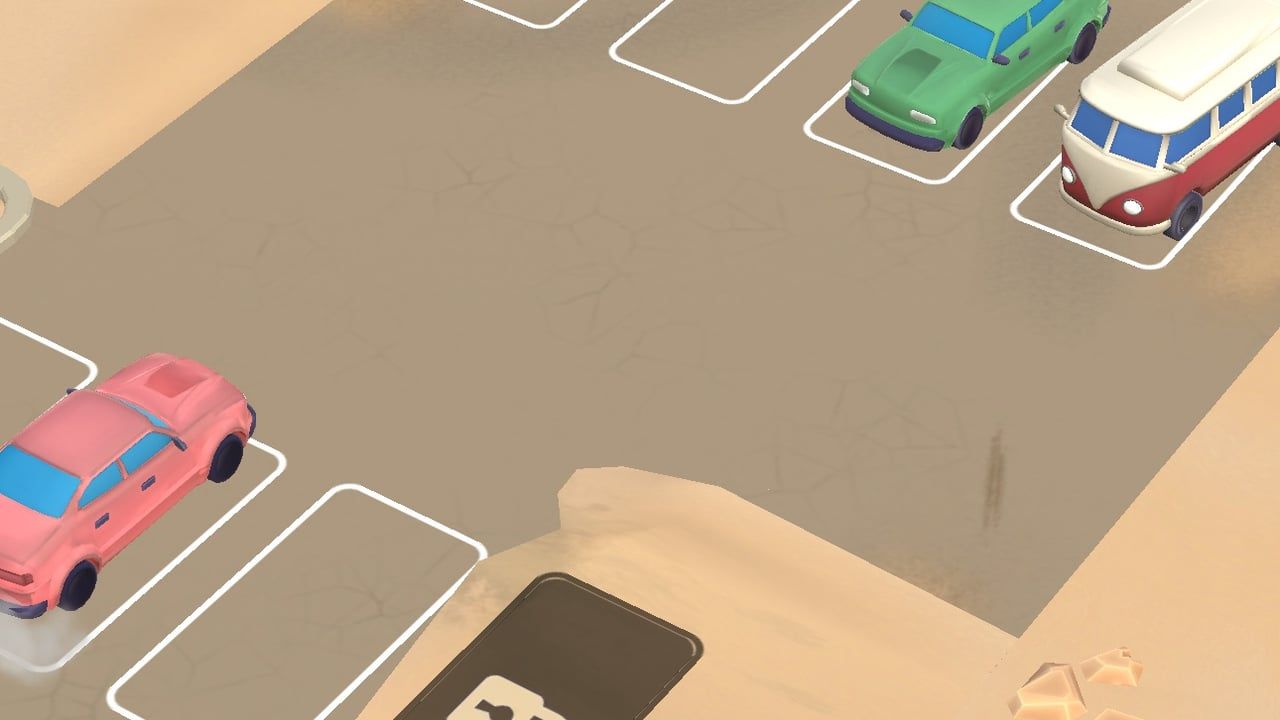
Offline earnings are a headline promise of Drive Thru Empire: serve travelers on Route 66, then return to a pile of cash ready to reinvest even while you were away. MIGMIG markets the title as a satisfying idle loop with Safe-O-Matic automation and business speed tools. This guide explains how to set up honest offline income, what systems feed it, and what to do when player-reported bugs make the pile look wrong—without inventing uncapped formulas.
Pair this page with Getting Started if you still tap every order manually.
What “offline earnings” means here
While the app is closed or backgrounded, your businesses continue producing according to the game’s idle rules. On return, you collect accumulated cash and shove it into upgrades, Stars progress, or Workshop materials farming. The fantasy fails when collection is still fully manual or when a bug yields zero overnight—both show up in App Store complaints.
Your job is to maximize eligible idle production and minimize collection friction before you walk away.
Safe-O-Matic: automate cash collection
Safe-O-Matic systems automate cash collection so the empire is not gated on endlessly tapping the safe. Before any long offline stretch:
- Unlock Safe-O-Matic as soon as your stage allows.
- Confirm it covers the businesses you actually run (food plus any Star-unlocked sides).
- Collect once manually after enabling it so you see the new flow.
- Only then leave the game for hours.
If you expand into motel, restroom, EV charging, or a convenience store (Expand Businesses) and forget automation, offline gains feel like chores when you return.
Speed upgrades that keep idle loops moving
Official strategic upgrades include:
- Express Kitchen — food side speed.
- Fast Check-In — motel throughput.
- Turbo Cleaning — restroom turnaround.
Faster loops mean more completed services per offline hour, subject to whatever caps the build uses. You do not need exact percentages to play correctly: if a business is unlocked, its speed upgrade belongs on the pre-offline checklist beside Safe-O-Matic.
Also invest in roads, signage, and visitor magnetism so traffic still arrives while you are gone. An automated empty lot earns less than an automated busy lot.
Workshop and prestige make offline stronger
Workshop Cards spend Crystals and Hammers on global bonuses. Those bonuses hitch a ride on every offline tick once cards are upgraded. Prestige adds permanent income multipliers after a reset—also multiplying away-from-device cash on future runs.
Ideal prep before bed or work:
- Spend available Crystals/Hammers into clear income or efficiency cards.
- Avoid prestiging immediately before sleep unless you already re-automated the early climb—brand-new runs can be too manual for fat offline piles.
- Keep side businesses unlocked so multipliers have multiple channels to feed.
Honest limits and player pain points
Reviews praise the cartoon Route 66 vibe and also call out ads, gem sinks, offline bugs, and waiting for new levels. Offline earnings will not fix Arizona→Texas content walls. They also will not remove ads. Treat idle cash as one system among many.
Reported issues include:
- Returning to little or no offline cash despite automation.
- “Ad unavailable” friction even after no-ads purchases (purchase support is outside this wiki’s scope—contact Apple / MIGMIG for refunds).
- Feeling forced to babysit timers that should be idle-friendly.
When cash looks wrong, work the troubleshooting list below before spending gems “to compensate.”
Troubleshooting offline earnings
- Update the app and reboot your device.
- Confirm Safe-O-Matic is active after the last prestige or unlock.
- Open each business once on login to clear stuck states, then leave again for a short ten-minute test before trusting overnight.
- Check that you are not comparing a fresh prestige run to a fully upgraded previous empire.
- Disable aggressive low-power modes that suspend background apps if short tests fail (device settings vary).
- Watch Updates for patch notes mentioning idle or collection fixes.
- Do not chase unverified “offline codes”—there are no verified promo codes (Codes).
If short tests work but long sessions fail, note the duration for support reports; that pattern helps developers more than “game broken” alone.
Offline session playbook
Before you leave
- Clear urgent queues so businesses start idle from a clean state.
- Enable Safe-O-Matic and relevant Express Kitchen / Fast Check-In / Turbo Cleaning upgrades.
- Spend spare cash on throughput, not cosmetics.
- Bank or spend Crystals/Hammers thoughtfully in the Workshop.
- Avoid starting a prestige countdown you cannot finish automating.
When you return
- Collect offline cash immediately.
- Reinvest into the bottleneck business (usually whichever has the longest line).
- Check Stars for side-business progress.
- Only then watch optional ads if you still want them—never feel obligated.
If Victor sabotaged you while away
Sabotage is an active-event fantasy (Victor Steele). Stabilize on login, then resume the offline playbook next time. Do not assume sabotage permanently disables idle income.
Ads vs offline philosophy
Some players buy no-ads packs; others tolerate rewarded ads for boosts. Offline earnings should reduce how often you need those boosts. If you only open the game to tap ads, revisit automation and Workshop investments—the idle layer is doing too little of the work.
Gem sinks that only extend a timed boost rarely beat another rank in a global card or another Star toward a business unlock.
How offline ties to the rest of the wiki
| Goal | Guide |
|---|---|
| Learn the tap loop | Getting Started |
| Open motel / EV / store | Expand Businesses |
| Global multipliers via cards | Workshop Cards |
| Permanent reset multipliers | Prestige |
| Rival disruptions | Victor Steele |
| All tutorials | Guides Hub |
Final checklist
- Safe-O-Matic on.
- Speed upgrades bought for unlocked businesses.
- Traffic magnets not neglected.
- Workshop cards fed with Crystals/Hammers.
- Prestige timing respects automation readiness.
- Short offline test passed after major changes.
- Codes hub checked only for verified lists (none today).
Drive Thru Empire wants you to feel the desert keep moving without your thumbs. Build automation on purpose, multiply it with Workshop and prestige, and treat zero-cash returns as a bug report—not a reason to delete your roadside dream.
Frequently Asked Questions
Quick answers to the most common questions.
Do I earn money while offline in Drive Thru Empire?
Yes. The game is built around idle earnings—you return to collect cash and reinvest. Results depend on automation, upgrades, and a healthy install.
What is Safe-O-Matic?
An automation system for cash collection so you are not manually gathering every coin. Enable it before long offline sessions.
Why did I get no offline cash?
Confirm Safe-O-Matic, update the app, run a short offline test, and check whether you just prestiged into a weak early state. Follow Updates for idle bug fixes.
Do Express Kitchen, Fast Check-In, and Turbo Cleaning help offline?
They speed their matching businesses, which generally improves how much work completes per hour—including time you are away—within the game’s idle rules.
Is there a code for more offline earnings?
There are no verified promo codes. Ignore unverified social lists and monitor the Codes Hub for anything confirmed later.